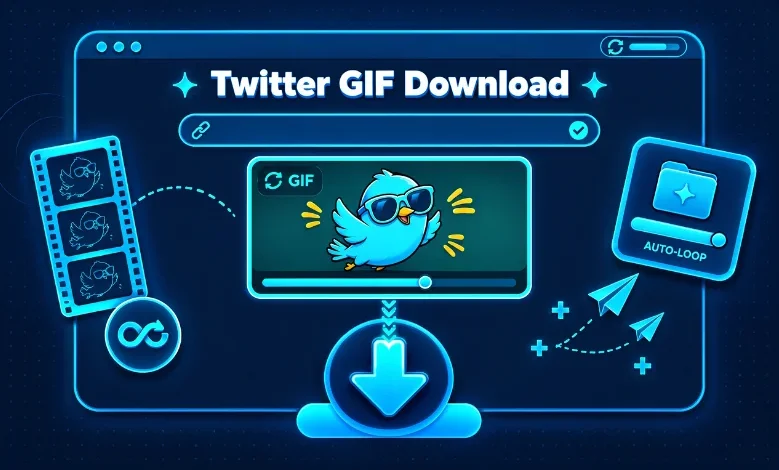
A Twitter GIF download is usually easiest with the direct link to a public X post. Copy the post URL, paste it into a reputable downloader, then save the available animation. You may receive an MP4 instead of a GIF because X often delivers these animations as looping video media.
X still supports GIF uploads and GIF sharing across its website and mobile apps. The platform also includes GIFs in downloadable account archives for your own content.
| Quick fact | What to know |
|---|---|
| What you need | A direct link to a public X post |
| Supported devices | iPhone, Android, Windows, Mac, Chromebook |
| Common saved format | MP4 or converted GIF |
| Account required | Usually not for public-post downloader tools |
| Private posts | Usually unavailable to third-party downloaders |
| Best choice for sharing | MP4 for smaller files; GIF when the destination requires GIF |
| Typical process | Copy link, paste link, choose format, save |
Quick answer: Copy the link to the public X post containing the animation. Paste that link into a trusted Twitter or X media downloader. Choose GIF when conversion is available, or save the MP4 version. X animations may appear as MP4 files because many downloader services retrieve the looping video version served by the platform.
How to Do a Twitter GIF Download in 3 Steps
You do not need complicated software for most public posts. A browser-based downloader usually handles the process on phones and computers. Make sure you start with the direct post URL rather than a profile or search page.
- Copy the X post link. Open the post containing the animation and select the Share option. Choose Copy link, or copy the address from your desktop browser.
- Paste the link into a trusted downloader. Open a reputable X media downloader in your browser and paste the copied URL. Avoid services that request your X password for a public post.
- Choose the available file and save it. Select GIF if the service offers GIF conversion. Otherwise, save the MP4 version and convert it later if you specifically need a .gif file.
This method matches the workflow used by many current downloader services. Several tools also explain that public posts work while protected or deleted posts usually do not.
Why Does a Twitter GIF Download as an MP4?
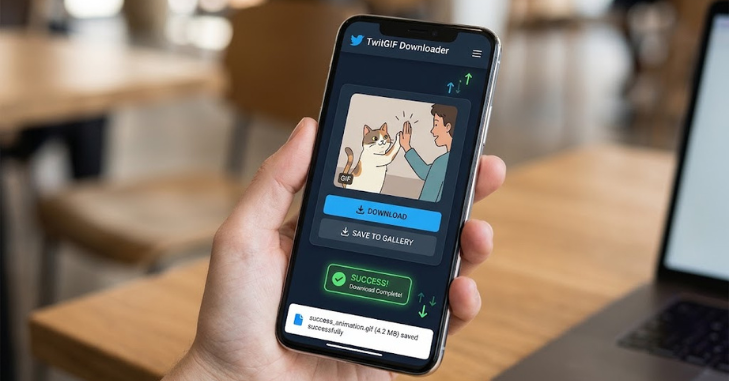
Seeing an MP4 file after saving an animation can look like a mistake. In practice, many X downloader tools retrieve the short looping video version associated with the animation. Current downloader pages consistently describe these X animations as MP4 media when retrieved from public posts.
An MP4 can also be more practical for everyday use. It normally offers a smaller file size and broad compatibility with modern apps. TechZena’s guide to the MP4 format for video files explains why MP4 works well for streaming, downloading, and sharing.
You only need a true .gif file when the destination specifically requires that format. Some online downloaders convert the retrieved media into a real GIF inside your browser. Other tools preserve the MP4 and leave conversion as a separate step.
How to Save an X GIF on iPhone
The process on an iPhone starts inside the X app or Safari. Open the post, select Share, and copy its direct link. Then open your chosen downloader in Safari and paste the address.
After processing, select the offered download option. Safari may place the file inside the Downloads folder in the Files app. If the result is a GIF, you can open it and use the Share menu for other supported apps.
An MP4 result is also normal and often easier to store. You can keep the file as a video or convert it when a service requires GIF format. TechZena also covers cloud video conversion, which can help when you need to change media formats without desktop software.
How to Save an X GIF on Android
Android follows nearly the same process as iPhone. Open the X post, tap the Share icon, and copy the link. Paste that URL into a compatible downloader using Chrome or another browser.
The downloaded file normally appears in your device’s Downloads folder. Your browser or gallery application may open an MP4 directly. A true GIF can usually be viewed through a gallery, file manager, or messaging app.
Check the file extension if you are unsure what you received. An .mp4 file is a video container, while .gif identifies a GIF image file. Both can preserve the motion you saw in the original post.
How to Download a Twitter GIF on Windows or Mac
Desktop browsers make copying the correct post link especially simple. Open the individual X post and copy the complete address from the browser bar. Paste the URL into the downloader and choose the format offered.
Windows users will usually find the file in Downloads unless they changed their browser settings. Mac users normally see downloads in the Downloads folder within Finder. Chrome, Edge, Firefox, and Safari may also let you choose a location before saving.
Desktop computers are useful when you plan to convert or edit the file afterward. Larger screens also make it easier to verify the post and downloaded result. You can browse TechZena’s Software coverage for more guides related to file formats and digital tools.
GIF vs. MP4: Which Format Should You Save?
| Feature | GIF | MP4 |
|---|---|---|
| Animation | Yes | Yes |
| Audio | No | Can support audio, though X GIF-style loops are commonly silent |
| Typical file size | Larger | Smaller |
| Image-style compatibility | Strong | Depends on platform |
| Video-player compatibility | Limited | Strong |
| Best use | Services requiring .gif | Storage, sharing, editing, modern apps |
Choose GIF when a website, document, forum, or application explicitly asks for that format. Choose MP4 when storage size and compatibility matter more than the file extension. There is little benefit in converting a working MP4 unless your destination rejects it.
Conversion can also increase the final file size. GIF uses an older image format with more limited color handling than modern video compression. Saving the MP4 version can therefore preserve a cleaner result with less storage.
What to Do When the Download Does Not Work
First, confirm that you copied the URL of the individual post. A profile page, search page, notification link, or timeline address may not give the downloader enough information. Open the post itself and copy its direct link again.
Next, check whether the post is public and still available. Protected or deleted posts cannot normally be retrieved by public downloader services. Current downloader pages consistently state that private or unavailable media is outside their supported access.
You should also try another browser if the download button only opens the media. Desktop users can sometimes use their browser’s save option from the opened file. Mobile browsers may offer a press-and-hold menu when a normal tap only starts playback.
Is It Safe to Use a Twitter GIF Downloader?
A public-post downloader should not need your X password. Be cautious when a site requests account credentials, browser extensions, unrelated software, or unusual permissions. A straightforward tool should generally need only the public post URL.
Pay attention to aggressive advertising and misleading download buttons. Confirm the button belongs to the downloader before selecting it. Keeping your browser and operating system updated also reduces exposure to known security problems.
Privacy practices can differ between services. Read the downloader’s privacy information if the post URL or media is sensitive. For personal account data, X provides its own archive feature for downloading media and account information.
Can You Download GIFs From Private X Accounts?
Public downloader tools generally cannot retrieve media from protected accounts. Access to a protected post depends on the permissions tied to the signed-in X account. A third-party public downloader does not automatically inherit that access.
Trying another downloader will not make a protected post public. The same limitation usually applies to deleted or otherwise unavailable posts. Saving media you can legitimately access before it disappears is more reliable than trying to recover it later.
X itself notes that protected content has different visibility rules from ordinary public media. Respect those controls when saving or sharing other people’s content. Downloading a file does not automatically grant permission to republish it.
Can You Convert the MP4 Back to a Real GIF?
Yes, an MP4 animation can be converted into a GIF when you need the image format. Cloud converters and desktop applications can perform that conversion. TechZena’s video conversion guide explains the general process of selecting an input file and choosing an output format.
Expect the resulting GIF to be larger than the MP4 in many cases. You may also see reduced color detail because GIF has a limited color palette. Keep the MP4 copy until you know the converted result meets your needs.
Some current downloader services now perform this conversion directly in the browser. Others deliberately return only the original looping MP4 they can access. Neither approach is automatically better because the right choice depends on where you will use the file.
Save the Right Format for What You Need
A Twitter GIF download takes only a few steps when the source post is public. Copy the individual post URL, use a reputable downloader, and save the available GIF or MP4 file. Check the extension afterward so you know which format you received.
For most modern apps, keeping the MP4 is the simpler choice. Convert the file only when a service specifically requires a .gif file. TechZena’s related media and software guides can help you understand formats before converting or sharing your download.
Frequently Asked Questions
How do I do a Twitter GIF download without an app?
Copy the direct link to a public X post and open a browser-based downloader. Paste the URL, process the post, and choose the available file format. This approach works without installing a dedicated mobile application.
Why did my Twitter GIF save as a video?
Many downloader services retrieve X animations as silent looping MP4 files. The animation still contains the movement you saw on the platform. You can keep the MP4 or convert it into a GIF when necessary.
Can I download a GIF from X on my iPhone?
Yes, you can use Safari and the direct link to a public post. The saved file will normally appear in the Files app or your chosen download location. You can then share or convert the file based on its format.
Can I download a GIF from X on Android?
Yes, Android browsers can use the same copy-and-paste method. Files commonly appear in the Downloads folder after saving. Your gallery or file manager may handle GIF and MP4 files differently.
Do I need an X account to download a public GIF?
Many third-party tools do not require an X login for supported public posts. Their requirements can change, so check the tool before using it. Never provide your X password to a downloader unless you fully understand and trust the service.
Can I download GIFs from a protected account?
Public downloaders normally cannot access protected posts. Those posts require account-specific viewing permission inside X. Use only media you are authorized to access and save.